Features
File handling/image correction
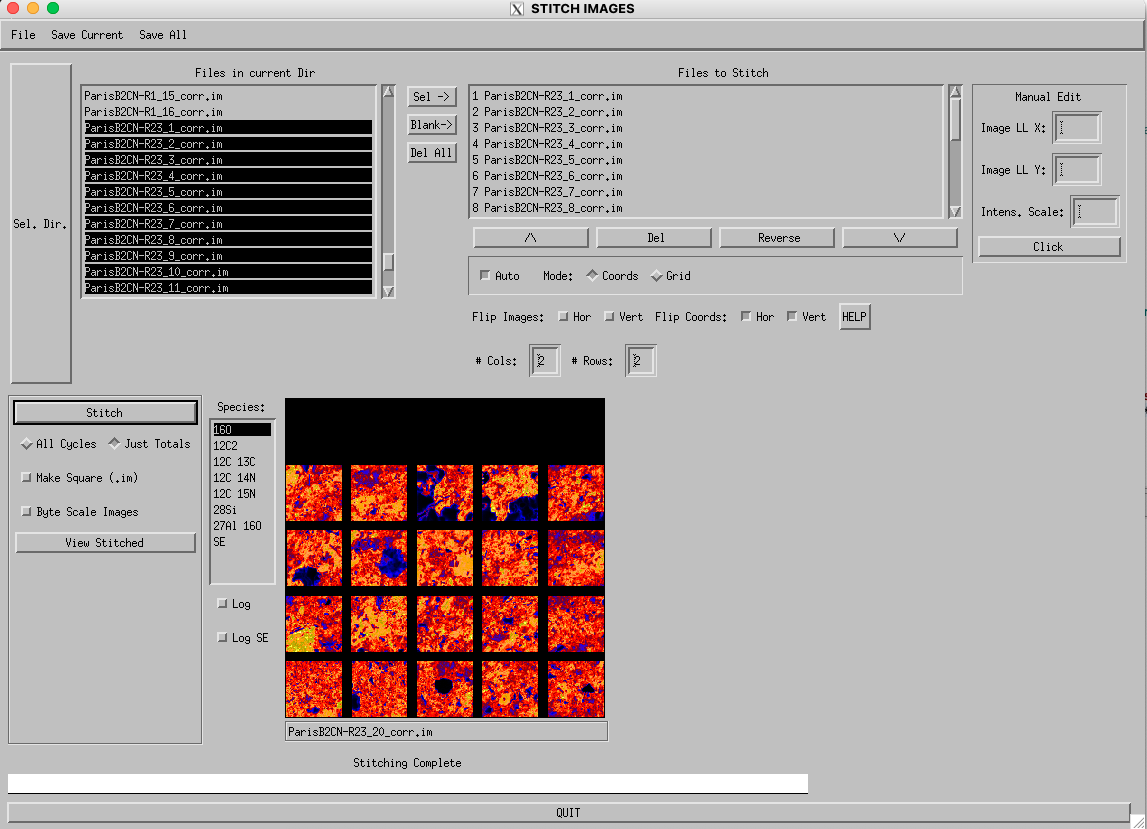
Load .im files created by Cameca ims-xf, ims-1xxx and NanoSIMS ion probes. Load entire data file or selected species/ cycles. Optional re-binning of multiple image cycles into fewer number of cycles to increase processing speed.
Automatic alignment of image cycles to correct for image drift.
Correct images for EM deadtime and QSA effects on a pixel-by-pixel basis.
Stitching of image files.
Display/output
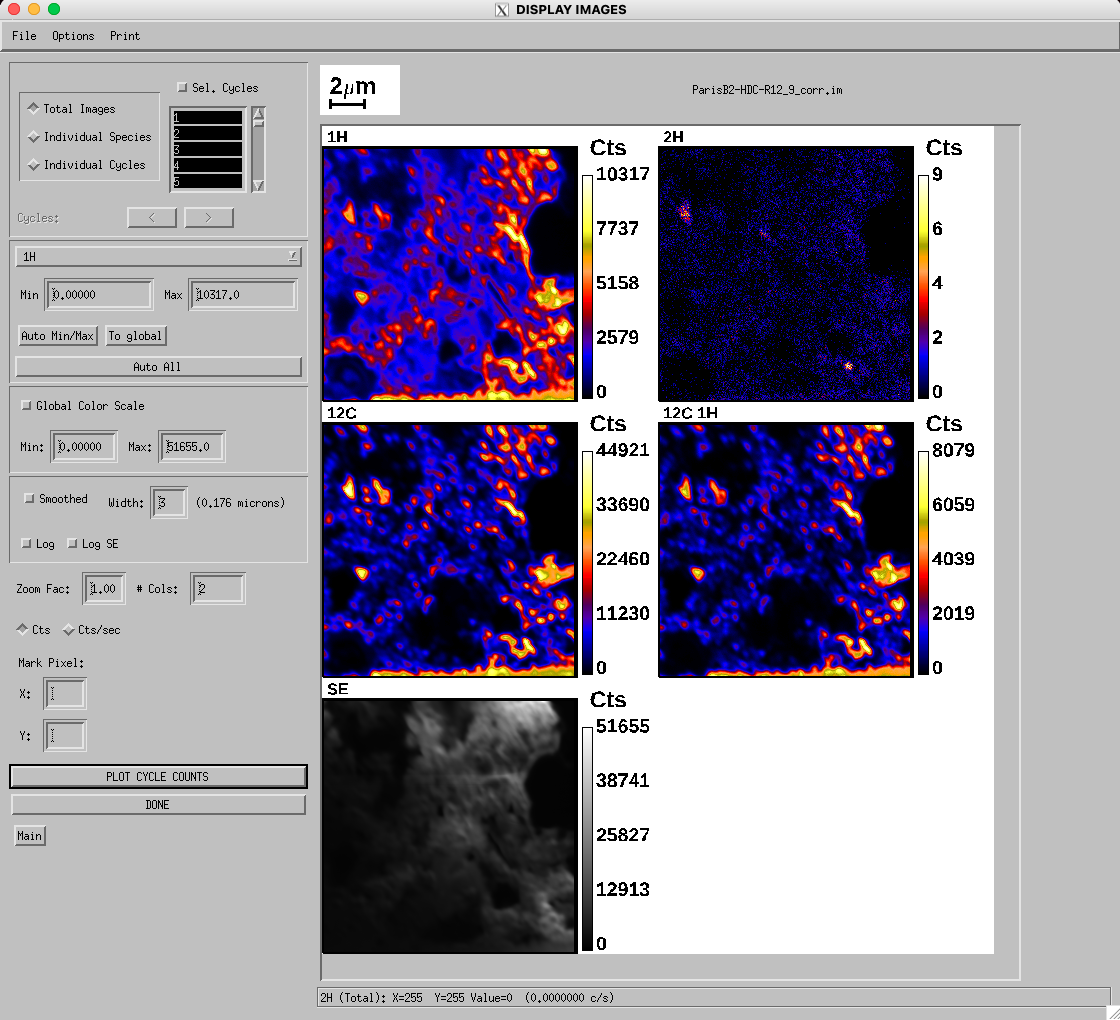
Interactive display of images: view images for individual cycles or integrated over many cycles, mouse-driven zooming, image smoothing, linear or logarithmic color scales, pixel intensities displayed as counts or counts/second, animations of individual cycle images, manually set minimum/maximum pixel intensities to display, optionally rotate/flip images.
Interactive image profiling: Mouse-driven interface to define line profiles. Semi-automatic spatial resolution estimation from line profiles. High-quality plot outputs and data export to spreadsheet.
Image depth profiling (intensities for selected pixel over multiple cycles).
Flexible control over color tables.
Display/export pseudo-3d representations of data (contour plots, surface plots).
Combine images/plots from various tasks and multiple image files into single-page displays.
Generation of RGB color composites of elemental/isotopic/ratio images
Flexible Output: Export images with or without color bars, scale bars to popular formats (JPEG, TIFF, MetaFile, etc) or copy to Windows clipboard. Optionally overlay ROI outlines. Save processed images as .im files for future analysis in L’image.
Ratio Images
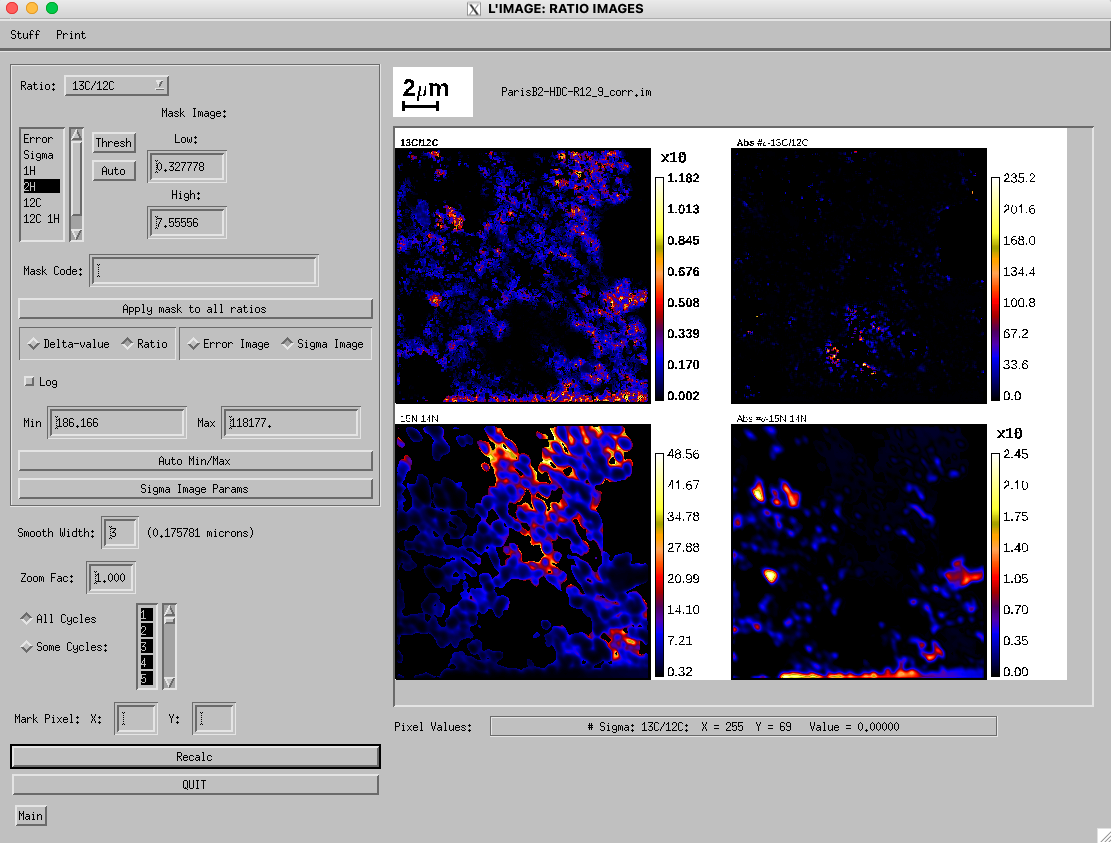
Generate pixel-by-pixel ratio images and associated error images with flexible definition of parameters. Mouse-driven interactive viewing of data including zooming, ROI outline overlay, manual selection of maximum/minimum intensities, pixel value histogram plotting. Printing and exporting of ratio images to wide variety of formats.
Highly flexible profiling of ratio images.
Quantitative Processing
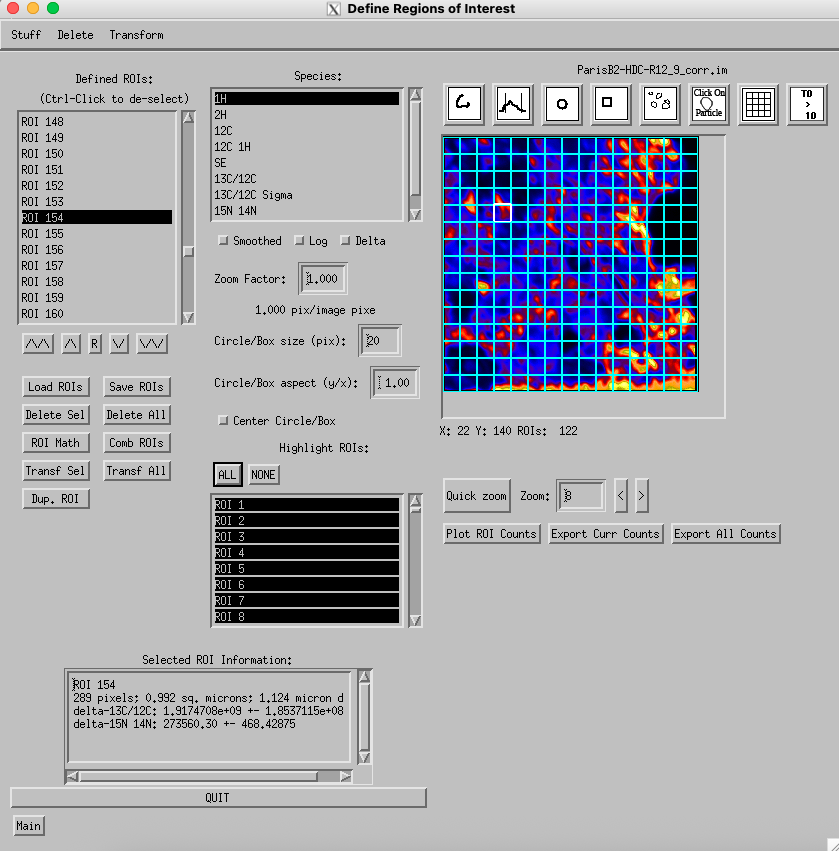
Region of Interest (ROI) definition: Segment image into ROIs for quantitative analysis. Define ROIs manually with mouse or automatically by threshold, automatic particle finding or tiling entire image with square-/hexagon-shaped regions. Combine ROIs using logic. Plot/export count rates for individual cycles/species for given ROI.
Ratio Calculation: Calculate isotopic or elemental ratios for ROIs, including flexible control of drift correction (for peak jumping measurements) and correction for EM background. Interactively interrogate data for single ROIs or generate scatter plots or histograms of results for multiple ROIs. Flexible output of data to spreadsheet format and generation of high-quality plots. Combination of data from multiple image files into easy-to-use databases.
“Pixel Plot:” Make scatter plots of individual pixel intensities for both ion images and ratio images. User can select groups of pixels from plot and use as ROI definition.
Automation of most processing tasks for a set of image files without user intervention.